Choose, change or cancel your plan
Billr has a Free plan and five paid plans: two for one person and three for a team. Here you see what each plan includes and how to buy, change or cancel it.
Updated

Which plan fits
| Plan | For | Projects | Invoices and quotes | Extra |
|---|---|---|---|---|
| Free | 1 person | 1 | 3 of each a month | |
| Starter | 1 person | 3 | unlimited | Report |
| Pro | 1 person | unlimited | unlimited | Report, plus PDF and CSV export |
| Crew | up to 5 team members | unlimited | unlimited | Team features |
| Team | up to 15 team members | unlimited | unlimited | Team features |
| Business | up to 50 team members | unlimited | unlimited | Team features |
Clients, items, tasks and time tracking have no limit, not even on Free. Every plan gets all four invoice templates, and Billr charges 0% on online payments. The team features are roles, shared clients and projects, and the audit log; they are described in Work together in a team.
When you reach a limit, Billr tells you which plan lifts it.
Buy a plan or upgrade
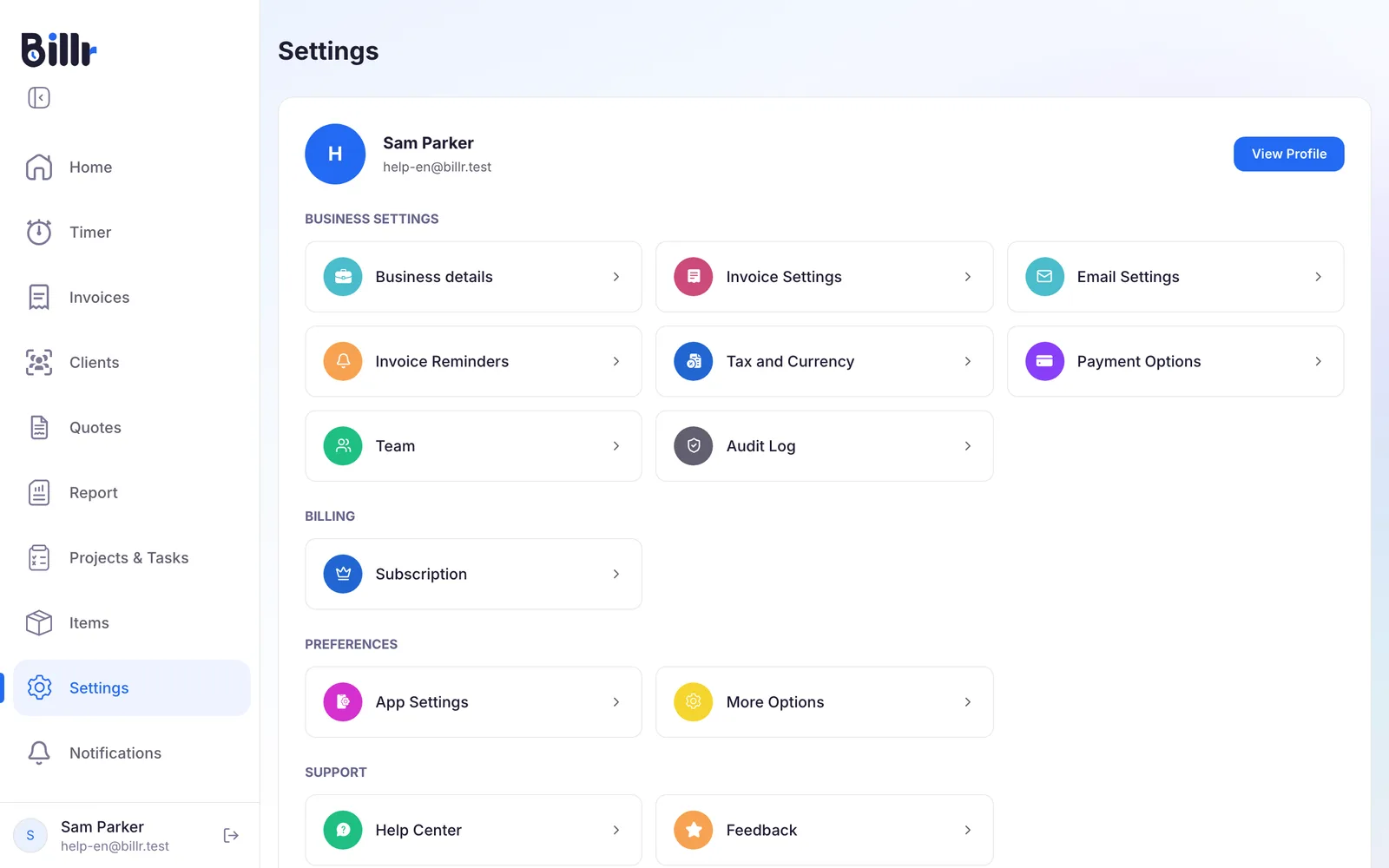
- Go to Settings and choose Subscription.
- Choose how you want to pay: Monthly, Annual or Lifetime.
- Choose Subscribe on the plan you want, or Buy for lifetime.
In the iPhone or Android app you pay through the App Store or Google Play. In the web app at https://app.billr.cloud you pay by card in a secure checkout.
- Only the Owner buys. The plan belongs to the team, and only the Owner can buy or change it. Everyone else in the team gets the same plan and sees that the subscription is managed by the Owner.
- One channel per team. A team pays through one channel at a time. A plan bought on the web is changed on the web; a plan from the App Store or Google Play is changed in that store.
Upgrade and downgrade
You change your plan on the same Subscription screen.
- An upgrade takes effect immediately.
- A downgrade, or another change such as a different billing period, applies at the end of the period you already paid for. The screen tells you when that is.
Lifetime
Lifetime is a one time purchase instead of a monthly or annual subscription: you pay once and keep that plan. A plan without a lifetime option shows Not available.
A running subscription does not stop by itself when you buy lifetime. Cancel it afterwards under Manage Subscription.
Cancel your subscription
You cancel where you bought the plan.
- Open Subscription on the device or in the place where you bought it: the iPhone app, the Android app or the web app.
- Choose Manage Subscription. This takes you to the right page in the App Store, in Google Play or, for a web purchase, in the subscription portal.
- Cancel there.
You keep full access until the end of the period you paid for. After that your team moves to the Free plan. Your data stays; only the limits come back.
Deleting your Billr account does not cancel a subscription. Cancel first, then delete. More in Your Billr account and privacy.
Paid, but the app still says Free
- Open Subscription in the iPhone or Android app and choose Restore Purchases.
- Make sure your phone is signed in with the same Apple or Google account you bought the plan with: that account holds the purchase.
Bought in the web app? Then there is nothing to restore: the plan is tied to your Billr account and shows on every device once you sign in. If the plan still does not come back, the frequently asked questions tell you what to send to support.
Frequently asked questions
Which plans does Billr have?
There are six, three for one person and three for a team.
Free: 1 user, 1 project, 3 invoices and 3 quotes a month.
Starter: 1 user, 3 projects, unlimited invoices and quotes.
Pro: 1 user, everything unlimited, plus report exports.
Crew, Team and Business: 5, 15 and 50 users, with the team features on top: roles, shared clients and projects, and the audit log.
Every plan gets all four templates and 0% fee on payments.
What do I get on the free plan?
Free is one user, with these limits.
One active project.
Three invoices and three quotes per calendar month.
Clients, items, tasks and time tracking are not capped. Reports need Starter or higher, and inviting teammates needs Crew or higher. When you hit a limit the app says which plan lifts it.
How do I upgrade my plan?
Open Subscription and pick a plan: monthly, yearly, or as a one time purchase where that is offered. In the iPhone or Android app you pay through the App Store or Google Play; in the web app at app.billr.cloud you pay by card in a secure checkout. Only the team owner can buy or change a plan. A team pays through one channel at a time, so a plan bought on the web is changed on the web, and a store plan in that store. An upgrade takes effect immediately; a downgrade applies at the end of the period you already paid for.
How do I cancel my subscription?
You cancel where you bought it. For the App Store or Google Play, the Manage Subscription button on the Subscription screen takes you straight to the right page in that store. For a plan bought in the web app, sign in at app.billr.cloud, open Subscription and tap Manage Subscription to cancel in the customer portal. You keep full access until the period you paid for ends, after which the account moves to the free plan. Your data stays; only the limits come back.
I paid, but the app still says Free. What do I do?
Open Subscription and tap Restore Purchases. Make sure you are signed in on the phone with the same Apple or Google account you bought the plan with, because that account holds the purchase. In a team, only the owner's plan counts: members inherit it, and their own screen says the subscription is managed by the team owner. If the plan still does not come back, contact support with the purchase date. Bought in the web app at app.billr.cloud? Then there is nothing to restore: the plan is tied to your Billr account and shows on every device once you sign in.
What does the lifetime plan mean?
Lifetime is a one time purchase instead of a monthly or yearly subscription: you pay once and keep that plan. On the Subscription screen you switch the billing period to Lifetime to see the price; plans without a lifetime option show Not available. Just like a subscription you buy it in the app through the App Store or Google Play, or in the web app at app.billr.cloud. Restore Purchases brings a store purchase back on a new phone; a web purchase is tied to your Billr account. A running subscription does not stop by itself when you buy lifetime, so cancel it afterwards.